Home Care CRM Software: What to Look For in 2026
What home care CRM software actually needs to do in 2026 — and how to evaluate your options clearly.

Sage Care Editorial
Content & Communications Team
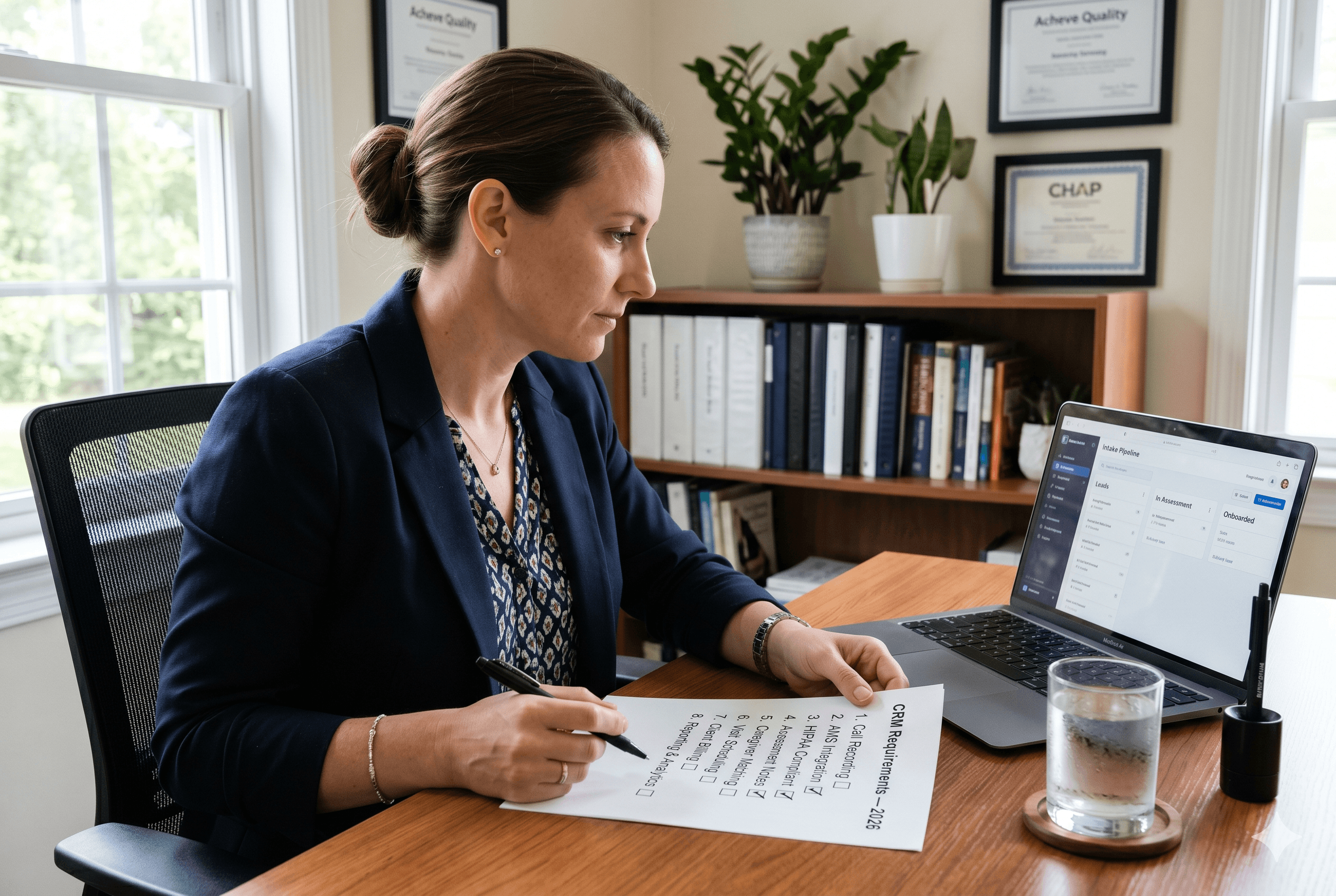
Choosing a CRM for a home care agency is not the same as choosing a CRM for a sales team or a marketing department. The workflows are different, the data is different, and the compliance requirements are different. A tool that works well for a software company or a real estate brokerage can create as many problems as it solves when dropped into a home care intake process.
This guide covers what home care CRM software actually needs to do in 2026, which features matter most, and which gaps in generic tools cost agencies clients they never knew they lost. If your agency is still tracking leads in spreadsheets, understanding why that approach has a hard ceiling on what it can support is useful context before evaluating any CRM option.
Why Generic CRMs Fall Short for Home Care
Most CRM software is built around a standard sales pipeline: a contact fills out a form, a salesperson calls them, and the deal either closes or it does not. That model does not map to home care intake.
Home care intake involves:
Inbound calls from stressed family members, not web form submissions from interested buyers
In-home assessments that generate clinical and quasi-clinical documentation
Care plans that need to be built, reviewed, and transferred to an AMS
Relationships between multiple contacts: the care recipient, family decision-makers, and the referral source who sent the lead
HIPAA compliance requirements that generic CRMs are not built to meet by default
Plugging a generic CRM into that workflow produces a tool that tracks some of what happens but misses the parts that matter most: what was said on the call, what the assessment revealed, and whether the follow-up actually happened.
According to Sage Care's consumer research, 81% of families expect a response within one hour of their initial inquiry, and 30% name responsiveness as a primary factor in their final agency decision. A CRM that does not make fast, documented follow-up easier is not solving the right problem. It is just a more organized version of the same gap.
The Features That Actually Matter
Built-In Call Recording and Transcription
Phone calls are where most home care intake begins. A family member calls to ask about care for a parent. What happens in that conversation, what information was shared, what questions were asked, what the next step was, determines whether that inquiry becomes a client.
A home care CRM needs to log that call automatically, record it with appropriate consent handling, and produce a transcript linked to the contact record without manual entry. Agencies relying on handwritten notes or memory to capture call details are producing incomplete records that degrade follow-up quality and make it impossible to coach intake staff or identify where conversations break down.
This is not a premium feature. It is a baseline requirement for any CRM used in home care intake.
In-Home Assessment Documentation
The in-home assessment is the most data-rich event in the intake process. A purpose-built home care CRM should support structured documentation of assessment findings, including:
Activities of Daily Living (ADLs): bathing, dressing, eating, toileting, ambulation, continence
Instrumental Activities of Daily Living (IADLs): meal preparation, housekeeping, medication management, transportation
Home environment observations
Caregiver match preferences
Family dynamics and decision-maker relationships
Immediate care needs versus long-term care goals
Generic CRMs handle this with a notes field. That is not sufficient. Unstructured notes cannot be searched, reported on, or automatically transferred into a care plan or AMS record. A home care-specific CRM structures assessment data from the point of capture so it is useful immediately rather than requiring manual reformatting later.
AMS Integration
This is the non-negotiable technical requirement that most generic CRMs cannot meet. When a prospect converts to a client, the information captured during intake needs to move into the agency's AMS, whether that is WellSky, AxisCare, or another platform, without being re-entered by hand.
A bidirectional integration means client records, care plans, contact relationships, and communication history stay consistent across both systems as care progresses. A one-way push means information moves at the point of handoff but does not stay synchronized. No integration means someone enters the same data twice, and the version in the CRM and the version in the AMS gradually diverge.
For agencies evaluating CRM options, ask specifically: is the AMS integration bidirectional, which fields sync, and what happens when the sync breaks? Those three questions will reveal how deep the integration actually goes versus how it is described in a demo.
A Home Care-Specific Lead Pipeline
A home care intake pipeline is not a generic sales funnel. The stages reflect the actual journey from first contact to care start:
New inquiry
Contacted and qualified
Assessment scheduled
Assessment completed
Care plan drafted
Service agreement sent
Client started
A CRM that forces agencies to adapt a generic deal pipeline to fit that journey produces a pipeline that is technically functional but practically misleading. Reporting on conversion rates between stages is only meaningful if the stages reflect what actually happens in the intake process. Tracking where leads drop off at each stage is one of the highest-value activities a small agency can build into its operations, and it requires a pipeline structure that maps to reality.
Referral Source Tracking
Referral relationships are the most valuable and most undertracked asset most home care agencies have. A purpose-built home care CRM maintains records for every referral source: discharge planners, social workers, physician offices, senior living community contacts, and others, and links each incoming lead to the source that sent it.
Over time that data answers the questions that drive referral marketing decisions: which sources are sending the most leads, which leads from which sources convert at the highest rate, and which referral relationships need more investment to stay active.
Generic CRMs have a source field. They do not have referral source management built around the ongoing relationship dynamics of home care business development.
Read this blog to know how you can grow your relationships with your referrals.
HIPAA Compliance as a Default
Any tool that touches client health information in a home care context needs to be HIPAA-compliant, and the vendor needs to be willing to sign a Business Associate Agreement. This is a legal requirement, not a preference.
Many generic CRMs are not HIPAA-compliant by default. Some offer a compliant tier at a significant price premium. A home care-native CRM should be HIPAA-compliant at every tier with a BAA available as standard onboarding documentation, not as a legal negotiation.
AI-Generated Summaries and Follow-Up Drafts
This is the feature that has changed most significantly in the past two years. Purpose-built home care CRM software in 2026 should generate structured summaries of calls and assessments automatically, producing draft care plan notes and follow-up emails that the operator reviews and sends in minutes rather than building from scratch.
The operational impact is significant. What previously took 15 to 30 minutes of admin work after each intake conversation now takes under five. For a solo operator handling five to ten inquiries a week, that time adds up to hours recovered every week that go back into client relationships, caregiver management, and follow-up quality rather than documentation.
What to Look for Beyond Features
Features tell you what a tool does. A few other factors tell you whether it will actually work for your agency:
Mobile functionality. Intake happens everywhere: in clients' homes, between site visits, during evenings when a family finally has time to call. A CRM that requires a desktop to function is a CRM that will not be used consistently.
Onboarding support. A tool is only useful if it gets adopted. Ask what onboarding looks like in practice, not in the sales pitch.
Pricing transparency. Understand exactly what is included at the base price and what triggers additional charges. Features like calling, additional users, and advanced reporting are common upsell points in generic CRM pricing.
Reference customers. Ask to speak with an agency of similar size using the same AMS before committing.
For agencies that have built out their intake process and want to understand which metrics to use to evaluate whether their CRM is actually working, the intake KPIs that reveal pipeline health give you a concrete baseline to measure against.
How Sage Care Is Built Around These Requirements
Sage Care is built specifically for home care intake. Every feature on this list is included as a baseline, not an add-on:
Built-in VOIP with automatic call recording and transcription on iOS
AI-generated call and assessment summaries ready for review in under five minutes
Draft follow-up emails personalized to each conversation
A home care-specific lead pipeline from inquiry through to care start
Referral source tracking with full contact and activity history
Bidirectional sync with WellSky and AxisCare
HIPAA compliance with BAA available as standard
The result is an intake workflow that handles the documentation layer automatically, so the operator focuses on the conversation rather than the paperwork that follows it.
The Bottom Line
Home care CRM software is not a luxury for agencies that have grown past a certain size. It is the operational foundation that allows any agency, regardless of size, to convert more of the leads it already receives and build the referral relationships that drive long-term growth.
The features that matter most are not the flashiest ones in a demo. They are the ones that make fast follow-up possible, keep intake data structured and transferable, and remove the manual work that currently competes with everything else on the owner's plate.
If you want to see how Sage Care covers every item on this list and fits into your existing AMS workflow, schedule a demo. There is a 30-day free trial and no long-term commitment required.
Frequently Asked Questions
What features does a home care CRM need?
At minimum: call recording, AMS integration, a home care-specific intake pipeline, referral source tracking, assessment documentation support, and HIPAA compliance with a BAA.
Can I use Salesforce for home care?
Salesforce can be configured for home care workflows but requires significant customization, has no native AMS integration, and carries pricing and complexity that is rarely justified for small agencies. Purpose-built home care CRM software delivers more relevant functionality at a fraction of the implementation cost.
Do small home care agencies need a CRM?
Yes, if they are receiving more than a handful of inquiries per month. Without a structured system, leads fall through, follow-up becomes inconsistent, and there is no way to identify where the intake process is losing clients.


