Home Care CRM Features That Actually Move the Needle
The specific CRM features that improve home care intake, conversion, and follow-up. No filler.
Sage Care Editorial
Content & Communications Team
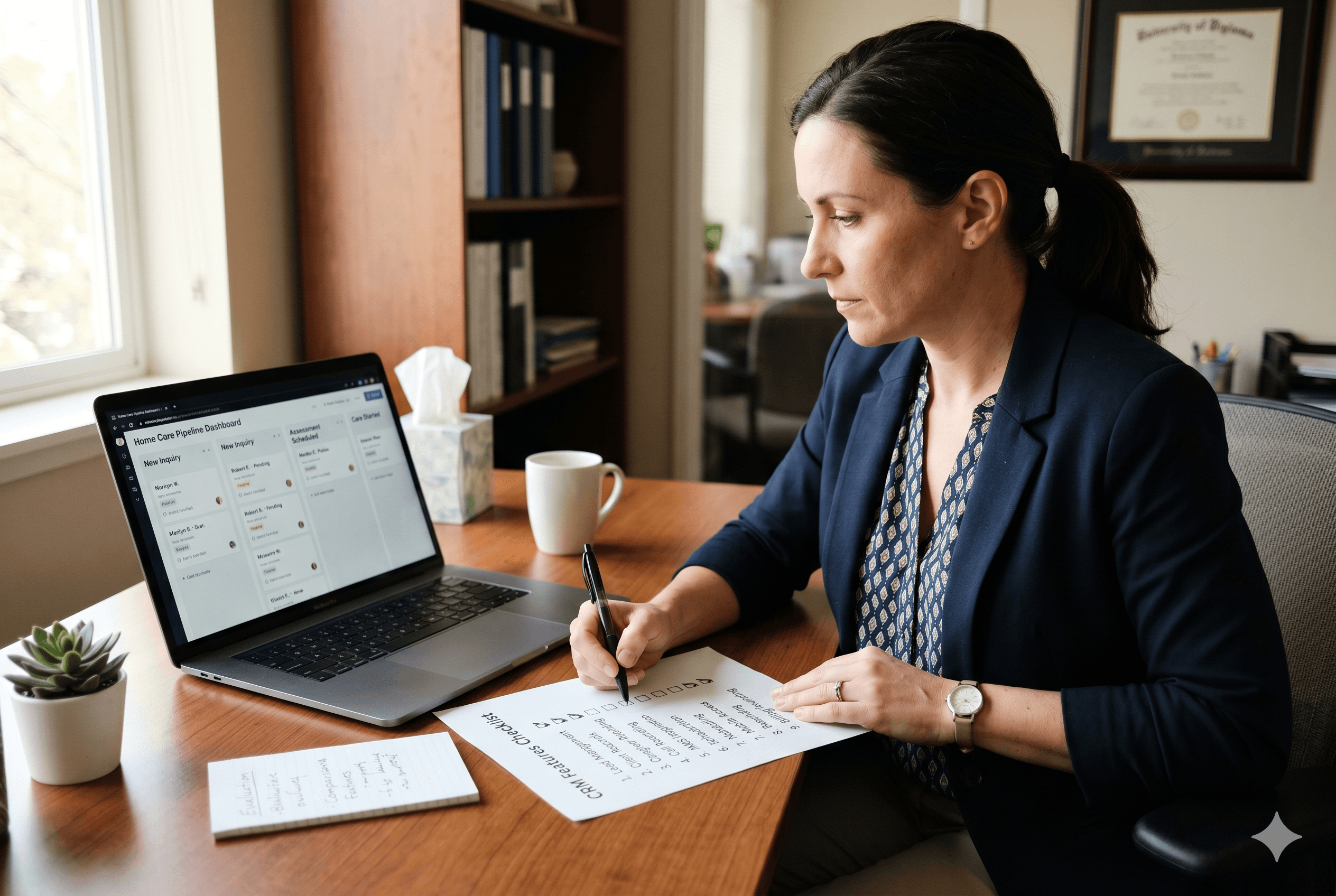
Most home care CRM comparisons focus on the wrong things. Interface design, number of integrations, and whether there is a free trial are useful filters, but they do not tell you whether the tool will actually improve your intake process, help you convert more leads, or reduce the admin burden that slows follow-up down.
The features that move the needle for home care agencies are specific, and most generic CRMs do not have them. The difference between a CRM for home care and one adapted from manual processes is most evident in this feature list, because the gaps in a generic tool are usually the features below.
The 9 CRM Features That Matter Most for Home Care Agencies
1. Built-In Call Recording and Transcription
Phone calls are the primary intake channel for most home care agencies. A family calling about care for a parent is often in an urgent and emotional situation, and the information they share during that first conversation, care needs, family dynamics, timeline, budget, is the foundation of the entire intake record.
A CRM without call recording requires someone to take accurate notes during the call, remember to log those notes after the call, and hope that nothing important was missed. A CRM with built-in recording and automatic transcription captures everything without manual effort and links the full conversation to the contact record permanently.
This matters practically in two ways: it eliminates the note-taking pressure during sensitive conversations, and it gives any team member who picks up a follow-up call the full context of what was said previously.
2. AMS Integration With WellSky and AxisCare
A home care CRM that does not connect to your agency management system creates a data entry problem at exactly the moment you can least afford one: when an inquiry converts to a client and care needs to start quickly.
The integration that matters is bidirectional. Client records, contact relationships, care needs, and care plan details should flow from the CRM into WellSky or AxisCare automatically when a client starts, without manual re-entry. In the other direction, updates made in the AMS should reflect in the CRM so both systems stay current.
Agencies evaluating this feature should ask vendors specifically which fields sync, whether the sync is real-time or batched, and who is responsible when the integration breaks.
How that bidirectional sync works between a CRM and WellSky in practice is worth understanding before accepting a vendor's assurance that the two systems "talk to each other."
3. Structured Intake Pipeline With Home Care-Specific Stages
A generic CRM pipeline built around "prospect, qualified, proposal, closed" does not map to home care intake. The stages a home care agency actually needs look more like: new inquiry, contacted, assessment scheduled, assessment completed, care plan sent, client started, closed.
A CRM with configurable, home care-specific pipeline stages lets every team member see exactly where each lead stands without interpretation. It also makes reporting meaningful: you can see at a glance how many leads are stalled between assessment and care start, which is the stage where most home care agencies lose the most clients.
This structural fit between the software's pipeline and the agency's actual workflow is one of the clearest signals that a CRM was built for home care rather than adapted from a generic sales tool.
4. AI-Generated Summaries After Calls and Assessments
After every call or in-home assessment, someone has to produce a written record of what was discussed, what was decided, and what happens next. In most agencies, that documentation takes 15 to 30 minutes per interaction and is the primary reason follow-up gets delayed.
A CRM with AI-generated summaries produces that documentation automatically. The operator reviews, edits if needed, and approves. What previously took 30 minutes takes under five. That time difference compounds across every inquiry in a week, and the consistency of the output means nothing important gets missed because someone was tired or in a hurry.
This feature is also directly connected to conversion rates. According to Sage Care's consumer research, the agencies families ultimately choose are most often the ones that respond fastest and follow up most professionally. AI-generated summaries make that level of responsiveness achievable for a one-person operation.
5. Automated Follow-Up Email Drafting
The follow-up email after a first call or completed assessment is one of the highest-leverage touchpoints in the home care intake process. A personalized message that references the specific situation discussed, confirms the next step, and arrives within the hour signals to a family that your agency is organized and attentive.
Most agencies either skip this email or send something generic. A CRM that drafts a personalized follow-up based on the actual conversation, ready to review and send with one tap, removes the friction that causes most agencies to delay or skip it entirely.
6. HIPAA Compliance and BAA Availability
This is not a nice-to-have. Any CRM that handles client information for a home care agency is handling Protected Health Information and is legally required to be HIPAA-compliant. The vendor must be willing to sign a Business Associate Agreement before any client data enters their system.
Ask for this in writing before evaluating any other feature. A vendor that is vague about HIPAA compliance or that treats the BAA as a legal process requiring several weeks to complete is not a vendor whose infrastructure was built with healthcare-adjacent data in mind.
7. Mobile-First Design for Field Use
Home care intake does not happen only at a desk. Assessments happen in clients' homes. Follow-up calls happen between site visits. A CRM that requires a laptop to do anything useful is a CRM that gets used inconsistently by anyone doing intake work outside the office.
The mobile experience needs to cover the core functions: logging a call, updating an intake stage, reviewing an AI-generated summary, and sending a follow-up email. If those actions require a desktop, the tool creates a gap between where intake work happens and where it gets documented, and that gap is where leads fall through.
8. Referral Source Tracking and Activity History
For home care agencies building referral relationships with discharge planners, social workers, and physician offices, a CRM needs to do more than track clients. It needs to track the contacts who send clients and maintain a full history of every interaction with each referral source.
That history is what tells you which relationships are active, which need investment, and which sources are producing the highest-quality leads over time. Without it, referral relationship management depends entirely on memory, which means it deteriorates whenever the owner is busy, which is always.
A CRM that handles PHI securely also becomes a more valuable tool when it is actively logging the referral pipeline strategy that drives most home care client acquisition in the first place.
9. Care Plan Generation From Assessment Data
The output of a completed in-home assessment is a care plan. In most agencies, building that care plan is a separate manual task that happens after the assessment, drawing on notes that may or may not capture everything relevant.
A CRM with care plan generation produces a structured draft directly from the assessment conversation, pre-populated with the care needs, ADL and IADL information, and caregiver instructions captured during the visit. The coordinator reviews and adjusts, and the plan is ready to share with the family and sync to the AMS in a fraction of the time a manual process requires.
How These Features Work Together
The value of these features is not in any single one of them. It is in how they chain together across the intake workflow.
A call comes in. It is recorded and transcribed automatically. An AI summary captures the care needs and generates a draft follow-up email. The lead moves into the pipeline at the correct stage. An assessment is scheduled, completed, and documented. A care plan draft is produced. The family receives a professional follow-up within the hour. When the client starts, the record syncs into WellSky or AxisCare without anyone re-entering data.
That sequence, running consistently for every inquiry, is what home care intake automation actually looks like in practice. Each feature above is a node in that chain. Remove any one of them and the chain breaks at that point, which means manual work, delayed follow-up, or a dropped lead.
The Bottom Line
The right home care CRM is not the one with the most features. It is the one where the features it has are the exact ones your intake workflow depends on. Call recording, AMS sync, AI-generated documentation, and a home care-specific pipeline are not premium add-ons. They are the baseline for a CRM that actually improves your conversion rate rather than just replacing your spreadsheet with a more expensive version of the same problem.
If you want to see how Sage Care delivers every feature on this list in a single platform built specifically for home care, schedule a demo. The 30-day free trial is a no-commitment way to see what a purpose-built home care CRM feels like against your current intake process.
Frequently Asked Questions
What features should a home care CRM have?
The most important are built-in call recording, AMS integration with WellSky or AxisCare, a home care-specific intake pipeline, AI-generated summaries, HIPAA compliance, and mobile access. These features directly affect intake speed and lead conversion.
Do I need call recording in a home care CRM?
Yes, if you want consistent intake documentation. Call recording eliminates manual note-taking, captures everything said during sensitive family conversations, and gives your full team context on every follow-up interaction.
Can a CRM integrate with WellSky?
Some can. Sage Care integrates bidirectionally with WellSky and AxisCare, syncing client records, care plan data, and contact relationships automatically when a client starts care. Most generic CRMs do not have a native WellSky integration.


