Why Your Google Business Profile Is Your Most Valuable Marketing Asset in 2026
Turn Google profile views into qualified home care clients with better intake.

Jon Levinson
CEO & Co-Founder, Sage
If you run a home care agency, your Google Business Profile (GBP) might be the most important marketing tool you're not fully using. Most agency owners set it up once during licensing and never touch it again. That's a missed opportunity, because GBP is where families start their search for care, and it costs you nothing. For agencies looking to build a full client acquisition system, understanding how leads move from first contact to signed client is the foundation that makes every marketing channel more effective.
Most Agencies Underinvest in the Easiest Win
Nearly half of all Google searches (46%) have local intent. Someone typing "home care near me" or "in-home care in [city]" is actively looking for help, often urgently. And 88% of consumers who search locally on a smartphone visit or call a business within 24 hours.
That makes your Google Business Profile the digital front door of your agency. It shows up in Google Maps, in the local "map pack" at the top of search results, and increasingly in AI-generated search summaries. For small agencies competing against established providers with larger marketing budgets, GBP levels the playing field. It's free, it's local, and it puts you directly in front of families who need care right now.
The problem? Most home care businesses treat their profile like a phone book listing — name, address, phone number, done. But incomplete profiles get buried. According to Google's own data, listings with accurate and complete information receive 7 times more clicks than incomplete ones. Fully verified and populated profiles appear 80% more often in search results.
What a High-Performing Profile Looks Like
A complete Google Business Profile for a home care agency should include:
Primary category: Select "Home health care service" as your main category. You can add secondary categories like "Home care service" or "Elder care service" to broaden your visibility.
NAP consistency: Your Name, Address, and Phone number should match exactly across your website, social media, and any directories. Inconsistencies confuse Google's algorithm and hurt your ranking.
Services list: Spell out the specific services you offer — personal care, companionship, medication reminders, meal preparation, transportation. Families search for specific needs, and Google matches those searches to your listed services.
Business description: Write a clear, 750-character description that includes your service area, specialties, and what sets you apart. Skip the jargon.
Photos: Businesses with photos on their profiles get 42% more direction requests on Google Maps and 35% more clicks to their websites. Post photos of your team, your office, and community events. Real photos build trust — stock images don't.
Business hours and contact info: Include accurate hours and make sure your phone number is one you actually answer.
None of this costs money. It takes an afternoon to set up properly, and the return compounds over time. If you're still tracking inquiries in scattered notes, this is a good moment to think about whether your current system can handle the leads a strong profile generates.
Reviews Are Your Digital Word of Mouth
Why Reviews Matter More Than You Think
Google factors review quantity, quality, and recency into local search rankings. But beyond the algorithm, reviews are often the deciding factor for families choosing between agencies. When someone is searching for care for a parent or loved one, a profile with 30 five-star reviews and specific comments about caregiver quality will win over a profile with two generic reviews every time.
Here's what makes this especially relevant for home care: 85% of home health patients rate their agencies 9 or 10 out of 10. Your clients are already happy. They're just not telling Google about it.
Reviews are one piece of a broader referral strategy. For more on building a systematic approach to referrals, see our guide on referral strategies for home care marketing.
How to Ask for Reviews Without Being Awkward
The best time to ask is right after a positive moment — when a family member thanks you, when a client hits a milestone, or after a successful first week of care. Keep it simple:
Send a short text or email with a direct link to your Google review page
Say something like: "We're so glad things are going well with [caregiver name]. If you have a minute, a Google review helps other families find us."
Don't overthink it. Most people are happy to help — they just need the nudge and the link.
Aim to generate reviews consistently rather than in bursts. A steady stream of recent reviews signals to Google that your agency is active and trusted. Tracking which inquiry sources convert best — including those driven by reviews — is easier when you're measuring the right intake metrics.
Posts and Updates Keep You Visible
Google Business Profile includes a "Posts" feature that works like a mini social media feed. Agencies that update their profiles regularly with new posts, photos, and review responses rank higher than those that don't.
You don't need a content strategy for this. Simple updates work:
Introduce a new caregiver who joined your team
Share a quick tip for families navigating home care for the first time
Post about a community event you attended or sponsored
Highlight a service you offer that families might not know about
One or two posts per week is enough. The goal is activity — showing Google (and potential clients) that your agency is engaged and current.
Turning Profile Visitors Into Clients
A strong Google Business Profile drives calls and website visits. The average GBP listing generates around 200 clicks per month. For a home care agency, even a fraction of those clicks turning into inquiry calls can meaningfully grow your client base.
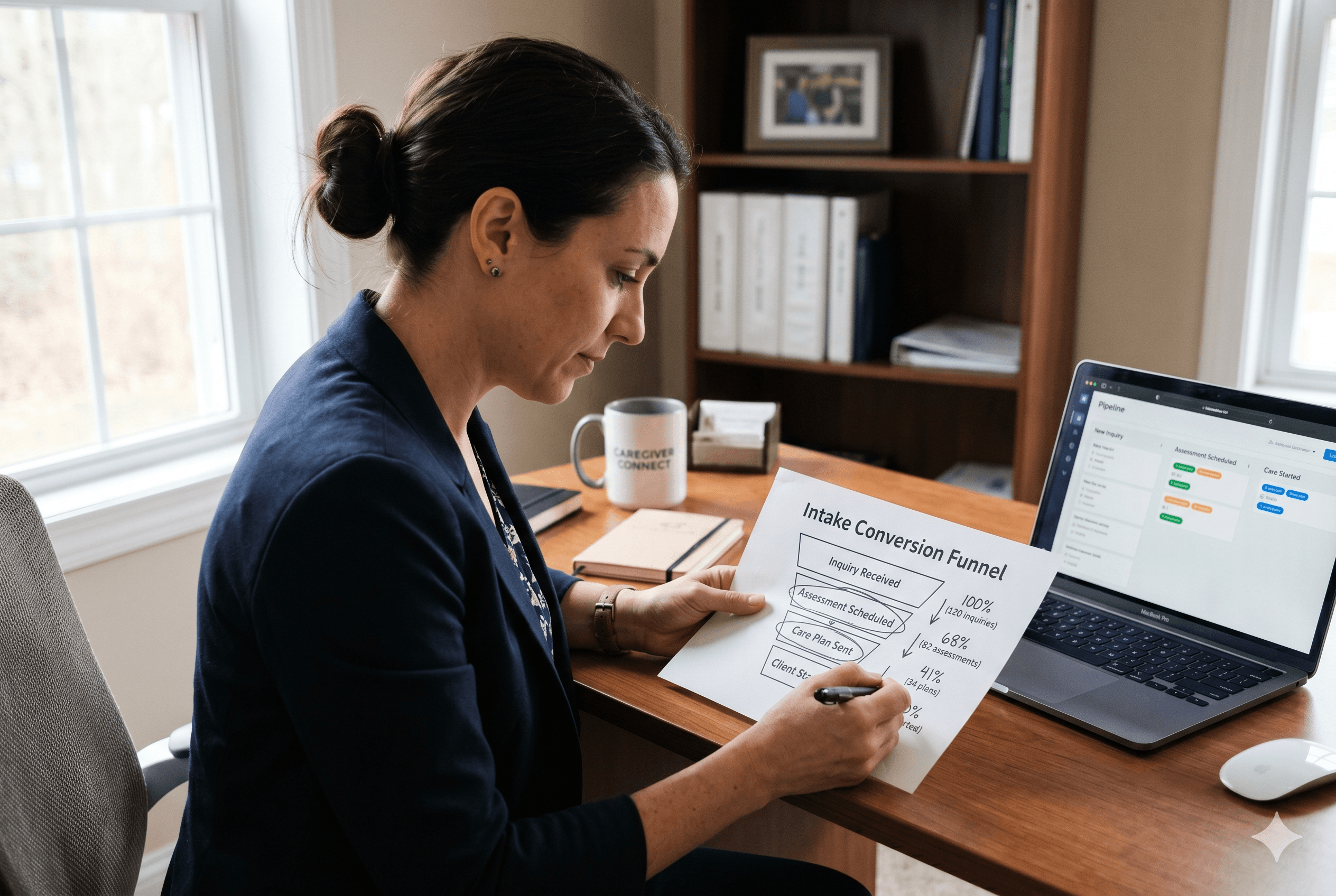
But here's where many agencies lose the lead: a family calls, the owner is on the road or in an assessment, and by the time they follow up, the family has already called the next agency on the list. The intake process — taking notes, sending follow-up emails, drafting care plans, updating records — creates hours of administrative work between each step. Every hour of delay increases the risk of losing that prospect.
This is where home care intake automation makes a difference. Tools like Sage handle the administrative work that happens after every call and assessment — generating summaries, drafting follow-up emails, and updating records automatically. What used to take 15-30 minutes of post-call admin now takes under five. That speed matters when a family is evaluating multiple agencies. To see how this works end to end, read how agencies are using AI to move faster from first inquiry to signed care plan.
Your GBP brings families to your door. Fast, organized follow-up is what converts them into clients.
Frequently Asked Questions
What category should a home care agency choose on Google Business Profile?
Select "Home health care service" as your primary category. This is the most accurate match for agencies providing in-home care and aligns with how families typically search. Add secondary categories like "Home care service" or "Elder care service" to capture additional search variations.
How often should I update my Google Business Profile?
At minimum, review your profile monthly to ensure all information is current. Post updates one to two times per week, even brief posts about your team, services, or community involvement signal to Google that your business is active, which helps your ranking in local search results.
Your Google Business Profile is free, directly reaches families searching for care, and takes minimal time to maintain. If you're looking for the highest-ROI home care marketing activity in 2026, start here.
And when those profile visits turn into calls, make sure you're set up to respond fast. Schedule a demo with Sage to see how intake automation helps you convert more leads — with a 30-day free trial to get started.