How to Switch Home Care Software Without Losing Your Mind (or Your Clients)
A practical guide to switching home care software without disrupting your clients or losing your data.

Sage Care Editorial
Content & Communications Team
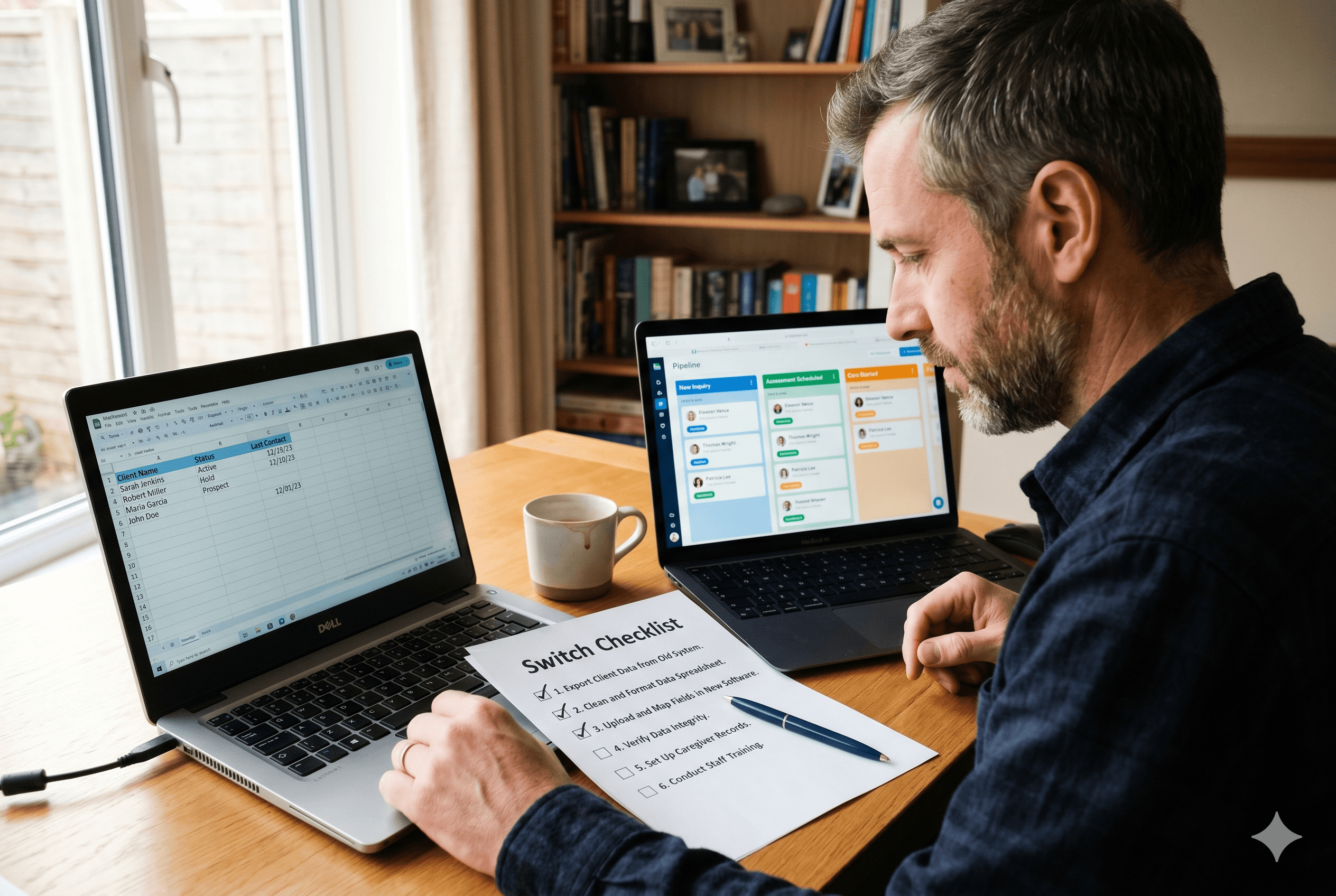
Switching home care software is one of those decisions that most agency owners know they should make long before they actually make it. The current system is not working. Leads are slipping through. Data entry is eating hours every week. But the thought of migrating data, retraining staff, and managing a transition while still running the business keeps the decision in the "someday" column.
That delay has a real cost. Every month spent on a system that is not working is another month of dropped leads, slow follow-up, and manual admin that should not exist. For agencies that want to understand what staying on the wrong system actually costs in leads, time, and revenue every month, the numbers make the case for switching more clearly than any feature comparison. The good news is that switching home care software is significantly less disruptive than most agency owners expect when it is approached with a clear plan. This guide walks through every major concern and how to address each one before it becomes a problem.
The Real Reason Agencies Stay on Bad Software
Status quo bias is the tendency to overweight the costs of change relative to the costs of staying put. In home care software decisions, it shows up as a predictable set of objections:
"We just got everyone trained on this system"
"The migration will take too long"
"We might lose our data"
"We cannot afford downtime right now"
"There is never a good time to switch"
Each of those concerns is legitimate. None of them are reasons to stay on a system that is actively costing you clients and time. The question is not whether switching has costs. It does. The question is whether those costs are larger than what the current system is costing you every month you stay on it.
For most agencies running intake on spreadsheets or a generic CRM not built for home care, the answer is no. The switching cost is a one-time investment. The cost of staying is recurring.
The Four Migration Concerns Worth Taking Seriously
1. Data Loss
This is the most common fear and the most manageable one. Data loss during a software migration almost never happens accidentally. It happens when agencies skip the backup step, rush the import, or fail to verify records after migration.
A safe migration follows this sequence without exception:
Export a complete backup of every record in your current system before touching anything
Store that backup in at least two places, a local drive and a cloud folder
Keep the original system live and accessible until the new system is verified as complete and accurate
Spot-check a representative sample of records in the new system before decommissioning the old one
Following those four steps makes data loss essentially impossible. The records exist in the backup even if something goes wrong during import. The detailed field mapping, deduplication, and import sequencing that makes the actual migration clean is covered step by step in the home care CRM migration guide for agencies moving client records into a new system.
2. Downtime and Client Disruption
The fear of operational downtime during a migration is real but usually overstated. For most small home care agencies, a software migration does not require taking any system offline during business hours. It is a parallel process: building and populating the new system while the old one remains active, then switching over once the new system is verified.
A phased approach works best:
Week one: Export and clean existing data, complete field mapping, import historical records into the new system
Week two: Run both systems in parallel, logging new inquiries in the new system while the old system remains accessible for reference
Week three: Verify all active leads, contacts, and referral sources are accurate in the new system, decommission the old one
That timeline is realistic for a small agency with a few hundred records. Larger datasets or more complex contact relationships may require an additional week. During the parallel period, client care is unaffected because caregivers and scheduling continue as normal regardless of what intake software the agency is using.
3. Staff Training and Adoption
For a one or two-person operation, training is a thirty-minute process, not a project. For slightly larger teams, the training concern is legitimate but manageable with the right approach.
The most common reason software adoption fails is not that the new system is harder. It is that training happened once, at go-live, and then people reverted to old habits because there was no reinforcement. A better approach:
Train on the three core workflows only: creating a new contact record, updating an intake stage, logging a call or note
Document those three workflows on a single reference sheet and keep it accessible
Nominate one person to be the first point of contact for questions during the first two weeks
Review usage together at the two-week mark and address any gaps before they become habits
A purpose-built home care CRM with an intuitive interface reduces the training burden significantly compared to a generic tool that has been awkwardly adapted for home care workflows. Systems designed around the actual intake stages home care agencies use, from first inquiry through assessment to care start, require less explanation because the structure already makes sense.
4. Timing
There is never a perfect time to switch software. The agency is always busy, there is always a full caseload, and there is always a reason to wait another month. Waiting for a quiet period that never comes is how agencies stay on broken systems for years.
A more useful framing is to identify the lowest-disruption window rather than the perfect window. That is usually:
After a natural quarter or month-end close
During a week with no major assessments or client starts scheduled
At a point when the owner has two to three focused days available to manage the migration directly
That window does not require a quiet agency. It requires a few days of focused attention, most of which is data work rather than operational change.
What to Do Before You Switch
The work that happens before you switch determines how smooth the transition is. Agencies that run into problems during migration almost always skipped something in the preparation phase.
Before switching, complete each of these:
Audit your current data
Identify every spreadsheet, document, or system that contains client or contact records
Count unique active records versus historical records
Flag duplicates and decide whether to merge or archive them
Define your new pipeline stages
Decide on your intake stage labels before import so records land in the right place
Confirm that the new system's pipeline structure matches how your agency actually works
Map your fields
For every column in your current system, identify the corresponding field in the new one
Decide where free-text notes go and whether any custom fields need to be created before import
Prepare your referral source records
Import referral sources first, before client records, so client records can be linked to them correctly at import
Communicate with your team
Brief anyone who touches client records on the timeline and what will change
Set a clear go-live date so there is no ambiguity about when to start using the new system
AMS Integration: The Step Most Agencies Forget
For agencies running on WellSky or AxisCare, the software switch is not just a CRM migration. It is also a question of how the new intake tool connects to the existing AMS.
This step gets overlooked during evaluation and creates the most friction after go-live. Agencies discover that their new CRM does not sync with WellSky, which means client records still have to be manually re-entered into the AMS when care starts. The manual handoff that was supposed to be eliminated by switching software turns out to still exist, just in a different place.
The right question to ask any new vendor before switching is what data syncs with the AMS, in which direction, and how the handoff works at the point a client starts care. Before committing to any platform, the questions worth bringing to a home care software vendor demo cover exactly this ground, including how to evaluate integration depth beyond a vendor's surface-level assurances.
What Changes Immediately After You Switch
For agencies moving from a spreadsheet or a generic CRM to a purpose-built home care intake platform, the most immediate changes are:
Calls are logged automatically. No more manual note-taking during conversations or spending 15 minutes after a call transcribing what was said. Every call is recorded, transcribed, and linked to the contact record automatically.
Follow-up happens the same day, every time. AI-generated summaries and draft follow-up emails mean the agency does not have to choose between administrative work and fast response. Both happen in under five minutes per inquiry.
The pipeline is visible. For the first time, the agency can see exactly how many leads are in each stage, how long they have been there, and which ones need attention. Tracking intake pipeline performance at each stage from inquiry to care start changes how the team prioritizes their time because the data is no longer hidden inside a spreadsheet no one updates consistently.
Referral sources are tracked. Every contact is linked to the leads they send. The activity history builds automatically. After 90 days, the agency knows which referral relationships are active, which have gone quiet, and which are producing the highest-quality clients.
For agencies evaluating Sage Care specifically, how the bidirectional sync between Sage Care and WellSky works covers exactly which fields move between systems, when they sync, and what the handoff looks like at the point of care start. AxisCare agencies follow the same bidirectional sync model.
Common Mistakes to Avoid During the Switch
Importing before cleaning. Dirty data imported into a new system is just dirty data in a better interface. Clean first, import second.
Going live without verifying. Always spot-check records after import before decommissioning the old system.
Training once and assuming adoption. One training session is not enough. Build in a two-week check-in to catch gaps before they become habits.
Forgetting historical records. Active leads are the priority, but historical client records have value for referral tracking and reporting. Import them in a second phase rather than skipping them entirely.
Not confirming AMS sync before committing. If your agency runs on WellSky or AxisCare, confirm the integration details before signing up, not after.
The Bottom Line
Switching home care software is not as disruptive as it feels from the outside. The agencies that do it well spend more time in preparation than in execution, back up their data before touching anything, run both systems in parallel during the transition, and verify records before going live.
The agencies that struggle are the ones that rush the import, skip the field mapping, or try to train their team on go-live day. Those mistakes are entirely avoidable with a clear plan and a realistic timeline.
The cost of switching, measured honestly, is one to two weeks of focused preparation and a brief learning curve. The cost of staying on a system that is not working is measured in leads lost every month indefinitely.
If you want to see how Sage Care handles the migration process and what the system looks like on the other side, schedule a demo. The 30-day free trial means you can run the migration, verify the data, and see the system in action before committing to anything.
Frequently Asked Questions
How long does it take to switch home care software?
For a small agency with a few hundred records, a clean migration from preparation through go-live typically takes one to two weeks. The data cleaning and field mapping phase takes the most time. The actual import is usually the fastest step.
Will I lose data switching home care CRMs?
Not if you export a complete backup before starting, keep the original system live during the transition, and verify records after import before decommissioning the old system. Data loss during a migration is almost always the result of skipping the backup step.
How do I migrate from one home care system to another?
Export your existing data as a CSV file, clean and deduplicate the records, map each column to the correct field in the new system, import in stages starting with referral sources then active clients then historical records, and verify a sample of records before going live.


